AI Video Effects for Previsualization: What Pitches and Storyboards Look Like Now
Making a video used to mean committing to expensive production decisions long before anyone saw the result. A script read well on paper but felt flat on screen. A storyboard showed frames but not motion. A pitch relied on words and a few reference images, asking clients to imagine the final cut. That gap between idea and finished footage is where most projects stumble.
AI video effects have changed that. Instead of describing what a scene might look like, creators can now generate a rough version of it in minutes. The technology is not about replacing the director or the editor. It is about giving everyone a shared visual language early in the process. For pitches, storyboards, and previsualization, that changes how ideas get approved, funded, and refined. Happy Wan — Multimodal AI Video Generation Online Free
What Previsualization Means in Practice
Previsualization, or previs, is the work done before principal photography begins. It is a rough simulation of the final video. Traditionally it meant hand-drawn storyboards, animatics, or simple 3D mockups. Each approach had trade-offs. Drawings conveyed composition but not timing. Animatics required someone to assemble stills and sync them to audio, a slow process. 3D mockups needed specialized software and skills most production teams did not have on hand.
AI video effects let a team skip most of that setup. You describe a scene in text or provide a reference image, and the model generates a short video clip that approximates the look, movement, and mood you need. The result is not production-ready. It does not need to be. What matters is that everyone sees the same thing at the same time. The client sees the pacing. The cinematographer sees the lighting direction. The editor sees the shot sequence. Disagreements surface before a camera is rented.
Pitches That Show, Not Tell
A pitch deck with still images and a script leaves a lot to the imagination. Different stakeholders imagine different things. One person pictures a slow, dramatic reveal; another sees a fast, punchy cut. Those mismatches lead to revisions, delays, and sometimes lost deals.
AI-generated video clips let a pitch include actual motion. A 15-second visual of the opening scene, even if rough, communicates tone, pacing, and camera movement more clearly than a paragraph of description ever could. The pitch becomes a conversation about what is on screen, not about what someone hopes will be on screen later.
The same applies to internal pitches. A creative team can generate multiple directions for a campaign concept and compare them side by side. One version uses a warm, handheld look. Another uses cold, locked-off shots. The choice becomes visual, not abstract. That saves hours of meeting time and reduces the chance of a concept being rejected because the decision maker could not picture it.
Storyboards That Move
A storyboard is a sequence of drawings that shows the key moments of a video. It is a useful tool, but it has limits. A drawing cannot show how long a shot lingers, how the camera pans, or how the subject moves between frames. Directors often add arrows and notes to indicate motion, but those annotations are open to interpretation.
AI video effects let you turn a storyboard into a moving sequence. You can feed the model a series of reference images or descriptions and get back a short video that follows the sequence. The result is something between a storyboard and a finished scene. It shows the timing, the transitions, and the general flow. If a transition feels too abrupt or a scene drags, you see it immediately and adjust before production.
This is especially useful for projects with complex action, such as product demonstrations or social videos that rely on precise timing. A storyboard might show a product rotating in a user's hand, but the actual motion could look awkward at full speed. A moving storyboard reveals that problem early, when fixing it costs nothing.
Previsualization for Production Teams
Once a project moves into production, previs continues to pay off. The director of photography can study the generated clips to plan lighting setups. The set designer can see which backgrounds will match the intended look. The editor can start thinking about pacing and transitions before any footage is shot.

AI video effects also help with creative testing. If a brand has strict brand guidelines, you can generate a clip that shows how a product image will look in a specific environment. If the lighting or color palette does not match the brand's standards, you catch it before the shoot. That saves reshoots and post-production fixes.
The same approach works for mood boards. A mood board traditionally is a collection of still images that evoke a certain feel. With AI video, a mood board can include short clips that show how light moves, how colors shift, and how the camera behaves. The mood board becomes a visual brief that the entire team can refer to throughout production.
The Practical Side of AI Previs
Using AI video effects for previsualization does not require a technical background. Most tools accept plain text descriptions or simple image uploads. You describe the scene, the tool generates a clip, and you review it. If it does not match what you imagined, you refine the description and try again. The process is iterative, fast, and cheap compared to shooting test footage.
One tool that fits this workflow is Happy Wan, Multimodal AI Video Generation Online Free. It accepts text, images, reference clips, and audio as inputs, which makes it flexible for different stages of preproduction. You can start with a text description for the first rough cut, then add a reference image to tighten the look, then layer in audio to check timing. The multimodal approach means you are not locked into one input method.
That kind of flexibility matters when you are working with a team. A director might describe a scene in text. A cinematographer might provide a reference clip for lighting. A brand manager might supply a product image. All of those inputs can be combined in the same tool to produce a previs clip that reflects everyone's contribution.
What It Means for the Reader
For anyone involved in video production, marketing, or brand content, AI video effects for previsualization remove guesswork. Pitches become more convincing because they show the idea instead of explaining it. Storyboards become more useful because they include motion and timing. Previsualization becomes faster because you can generate clips in minutes rather than days.
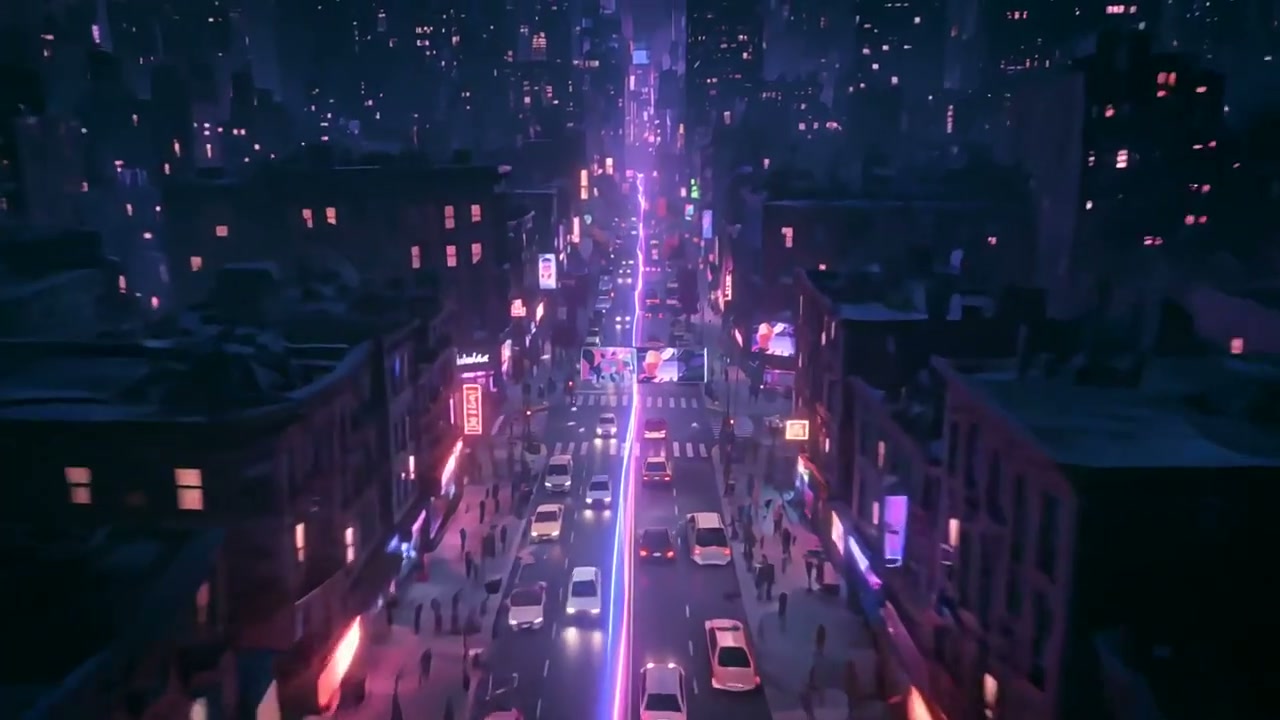
The trade-off is that the clips are not polished. They work as a communication tool, not as a finished product. If you try to use them as final footage, the rough edges will show. The key is to treat them as what they are: a bridge between an idea and a production. The better the bridge, the fewer surprises when the real shoot begins.
Happy Wan, Multimodal AI Video Generation Online Free fits that phase of work well because it accepts multiple input types and generates clips quickly. The speed matters more in previs than in final production, because you want to test many ideas before committing to one. A tool that lets you iterate rapidly reduces the risk of picking the wrong direction early.
AI video effects are not going to replace the craft of filmmaking. They are going to change how that craft starts. The early stages of a project, where ideas are fragile and budgets are uncertain, are exactly where a fast visual prototype makes the most difference. Whether you are pitching a campaign, building a storyboard, or planning a shoot, the ability to see your idea in motion before you commit to it is a practical advantage that more teams are adopting every quarter.